免费
2021-12-04
· 1 阅读
Bokeh图件的布局方式
from bokeh.plotting import figure , output_notebook , show from bokeh.layouts import column output_notebook () p1 = figu…
作者 · 考串
# 资料整理
from bokeh.plotting import figure, output_notebook, show
from bokeh.layouts import column

output_notebook()
p1 = figure(plot_width=200, plot_height=200)
p2 = figure(plot_width=200, plot_height=200)
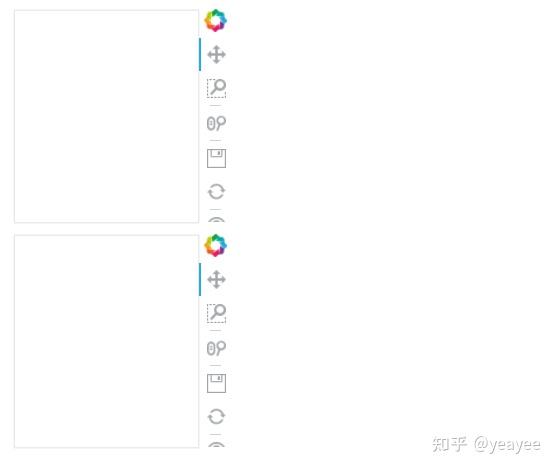
show(column(p1, p2))
from bokeh.layouts import row

p1 = figure(plot_width=200, plot_height=200)
p2 = figure(plot_width=200, plot_height=200)
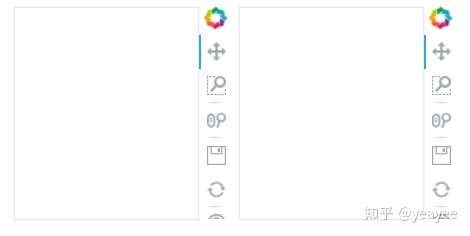
show(row(p1, p2))
from bokeh.layouts import gridplot

p1 = figure(plot_width=200, plot_height=200)
p2 = figure(plot_width=200, plot_height=200)
p3 = figure(plot_width=200, plot_height=200)
p1.circle([0], [0], size=50)
p2.square([0], [0], size=50)
p3.triangle([0], [0], size=50)
show(gridplot([[p1, p2], [None, p3]]))

from bokeh.layouts import gridplot

p1 = figure(plot_width=200, plot_height=200)
p2 = figure(plot_width=200, plot_height=200)
p3 = figure(plot_width=200, plot_height=200)
p1.circle([0], [0], size=50)
p2.square([0], [0], size=50)
p3.triangle([0], [0], size=50)
show(gridplot([p1, p2, None, p3], ncols=2))

from bokeh.layouts import layout

p1 = figure(plot_width=200, plot_height=200)
p2 = figure(plot_width=200, plot_height=200)
p3 = figure(plot_width=400, plot_height=200)
p1.circle([0], [0], size=50)
p2.square([0], [0], size=50)
p3.triangle([0], [0], size=50)
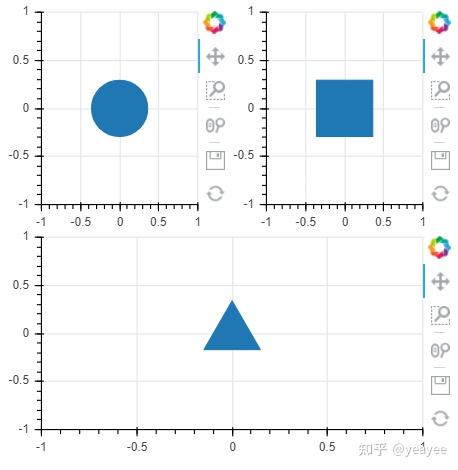
show(layout([p1, p2], [p3]))
【注】在web中布局时需结合H5,响应式布局是,需要图件自适应窗口大小。